Proposal Generation Settings Screen
The Proposal Generation Settings screen is used to define default values for proposals generated by the XtreamService application. Changes made on this screen are applied overnight for sales campaigns and future appointments; however, changes are applied immediately for walk-ins or service appointments for the current day.

|
To access the Proposal Generation Settings screen, click the |
 (More) icon and then click the Proposal Generation Settings link in the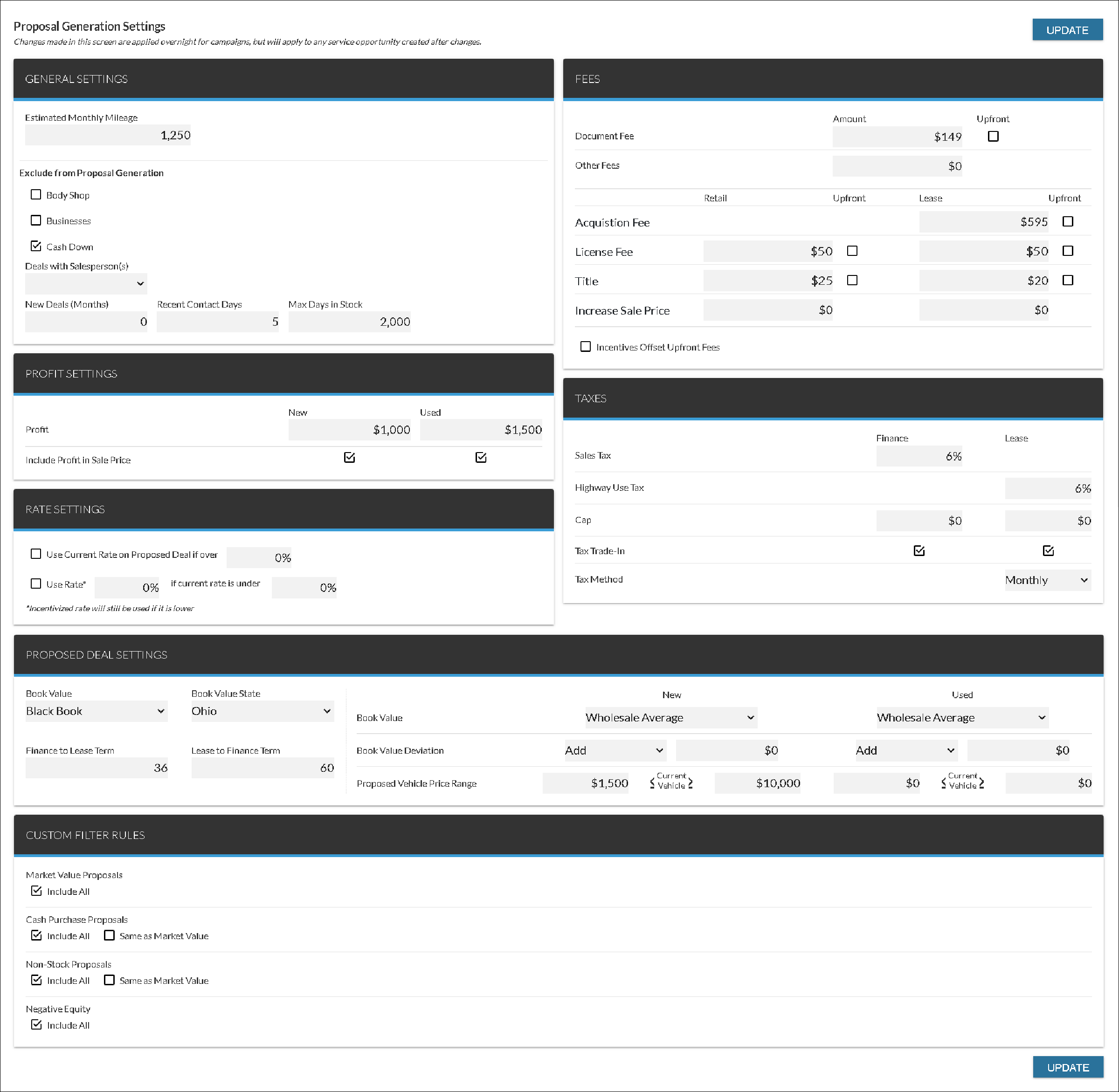
The following panels are available on the Proposal Generation Settings screen.
- General Settings panel. The General Settings panel is used to define settings for proposals generated in the XtreamService application, such as categories of proposals to exclude.
- Fees panel. The Fees panel is used to define the amounts charged for fees, such as license fees and registration fees, on proposals generated in the XtreamService application.
- Profit Settings panel. The Profit Settings panel is used to define the amount of profit for new and used vehicle proposals generated in the XtreamService application.
- Taxes panel. The Taxes panel is used to define the default amount for taxes, such as trade-in tax and capitalized tax, on proposals generated in the XtreamService application.
- Rate Settings panel. The Rate Settings panel is used to define the interest rate for proposals generated in the XtreamService application.
- Proposed Deal Settings panel. The Proposed Deal Settings panel is used to define settings for the vehicle and deal on proposals generated in the XtreamService application, such as a price range for proposed vehicles to include on the deal.
- Custom Filter Rules panel. The Custom Filter Rules panel is used to define whether various types of proposals are generated in the XtreamService application.
Click here for a list of products that may be mentioned in this help file.